Back office and floor operations for independent liquor stores
Stop losing money between the invoice and the shelf.
Everyone else in this market wants you to rip out your POS — new hardware, a weekend closed, retrained clerks, a new processor contract. Kessa reads the register you already have, against every invoice behind it, and puts a dollar figure on what’s leaking.
Running every day in a real Georgia liquor store. Send me your sales export and I’ll run it before you owe me anything.
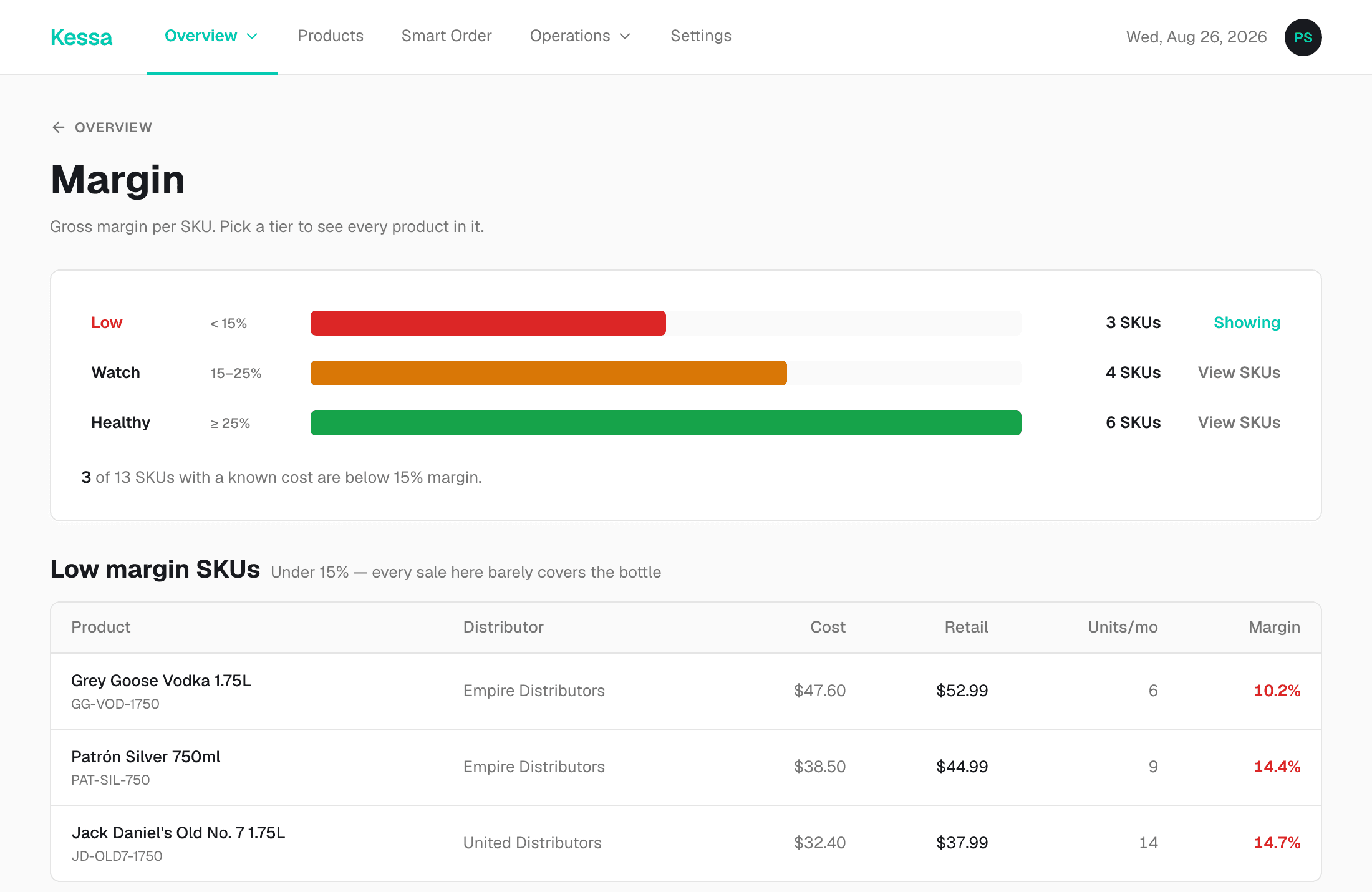
The real screen, shown with a sample store’s data
01 — Purchasing
Every invoice, checked line by line.
Empire, RNDC, United, Georgia Crown, Atlanta Beverage. PDF, photo, or the Fintech file — read, matched to your shelf, and flagged when a cost moves.
02 — Inventory
A count that holds up.
Received against sold, live on-hand from your register, and a physical count where the money is. Shrinkage surfaces the day it happens, not at year end.
03 — Operations
The floor runs without you.
Counts, opening and closing checklists, delivery photos and clock-in — on a phone app your staff open every shift, not a back office you visit weekly.
04 — The books
Bills posted, month closed.
Every invoice becomes a QuickBooks bill on its own. Month end reconciles what you bought against what you sold, and explains the gaps in plain English.
Nothing on your counter changes.
Switching to a new POS
- New hardware on the counter, and a weekend closed to install it.
- Retrain every clerk on a register they didn’t ask for.
- A new processor contract, and a rate you’ll argue about later.
- Years of sales history left behind in the old system.
Adding Kessa
- Connect Clover or Square, or hand over the sales file your register already exports.
- Your clerks ring up exactly the same way tomorrow.
- Your processing stays where it is.
- I build your catalog with you, from your own invoices — usually inside a day.
What Kessa connects to
Your register is the one you already own. Below is exactly what each connection can see and what it is allowed to change — before you connect anything.
Registers
Clover
Connects directly
Connects straight to your merchant account. Kessa reads your sales, your item catalog and your on-hand counts — and when you approve a price change, sends the new price back to the register.
Reads and writes
Square
Connects directly
Connects straight to your Square account with read-only permission. Kessa reads your sales, your item catalog and your on-hand counts, and cannot change anything in your register.
Reads only, never writes
Any other register
Sales file
No connection needed. Export a sales file from whatever you run — CSV or Excel — and Kessa reads the columns, maps them to your products, and remembers the mapping for next time.
You send the file, nothing reaches back
Everything else
QuickBooks Online
Every invoice Kessa reads is posted to QuickBooks as a bill, mapped to the expense account you choose. You can disconnect it at any time.
Reads and writes
Fintech
The invoice rail most distributors already bill through. Your Fintech file lands in Kessa and every line is read the same way a PDF is.
Reads only
Reads invoices from Empire Distributors, RNDC Georgia, United Distributors, Georgia Crown, Atlanta Beverage
The rest of it, working
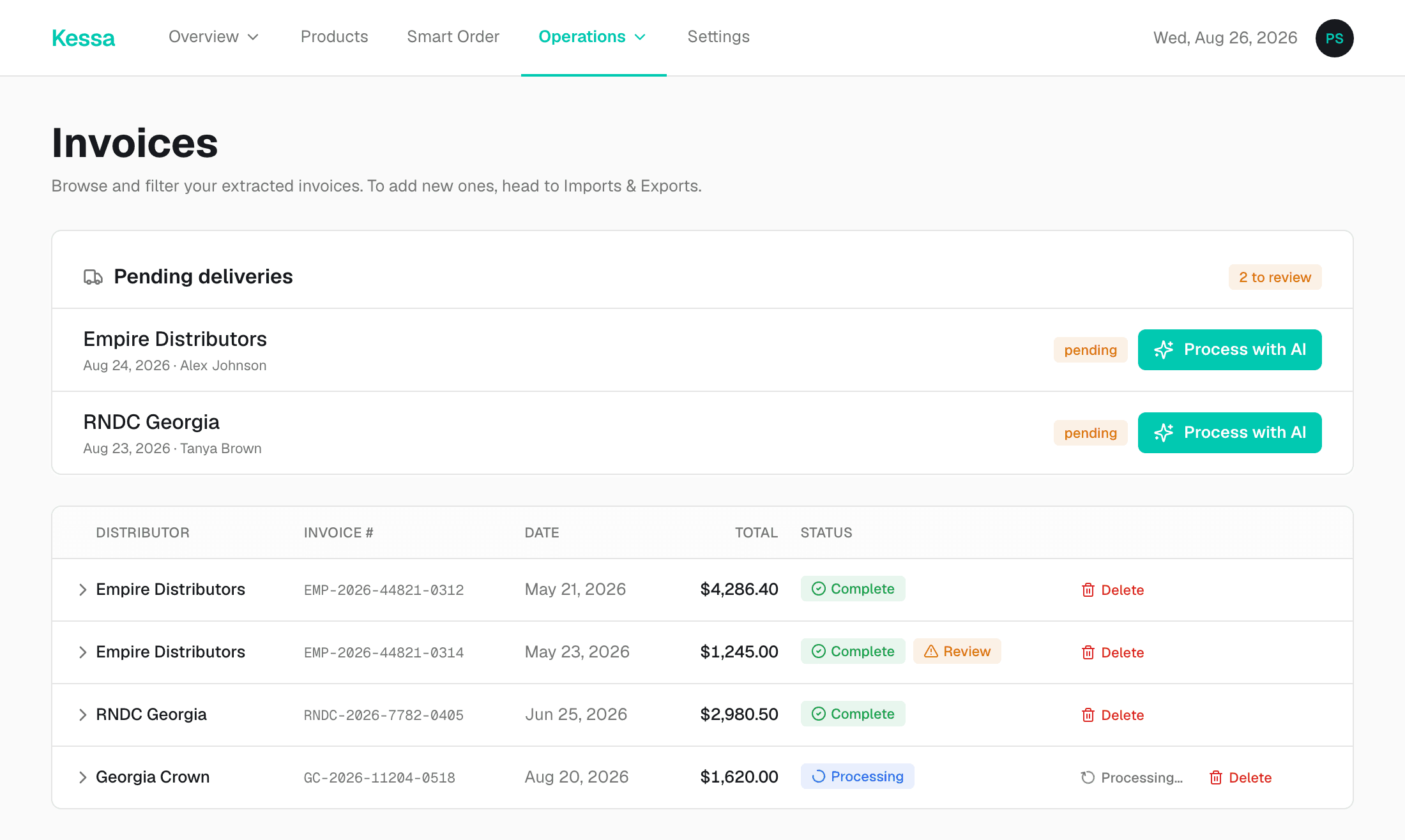
Deliveries arrive already read
A photo from the floor or a distributor PDF lands in the same queue, and every line is matched to your shelf before you look at it.
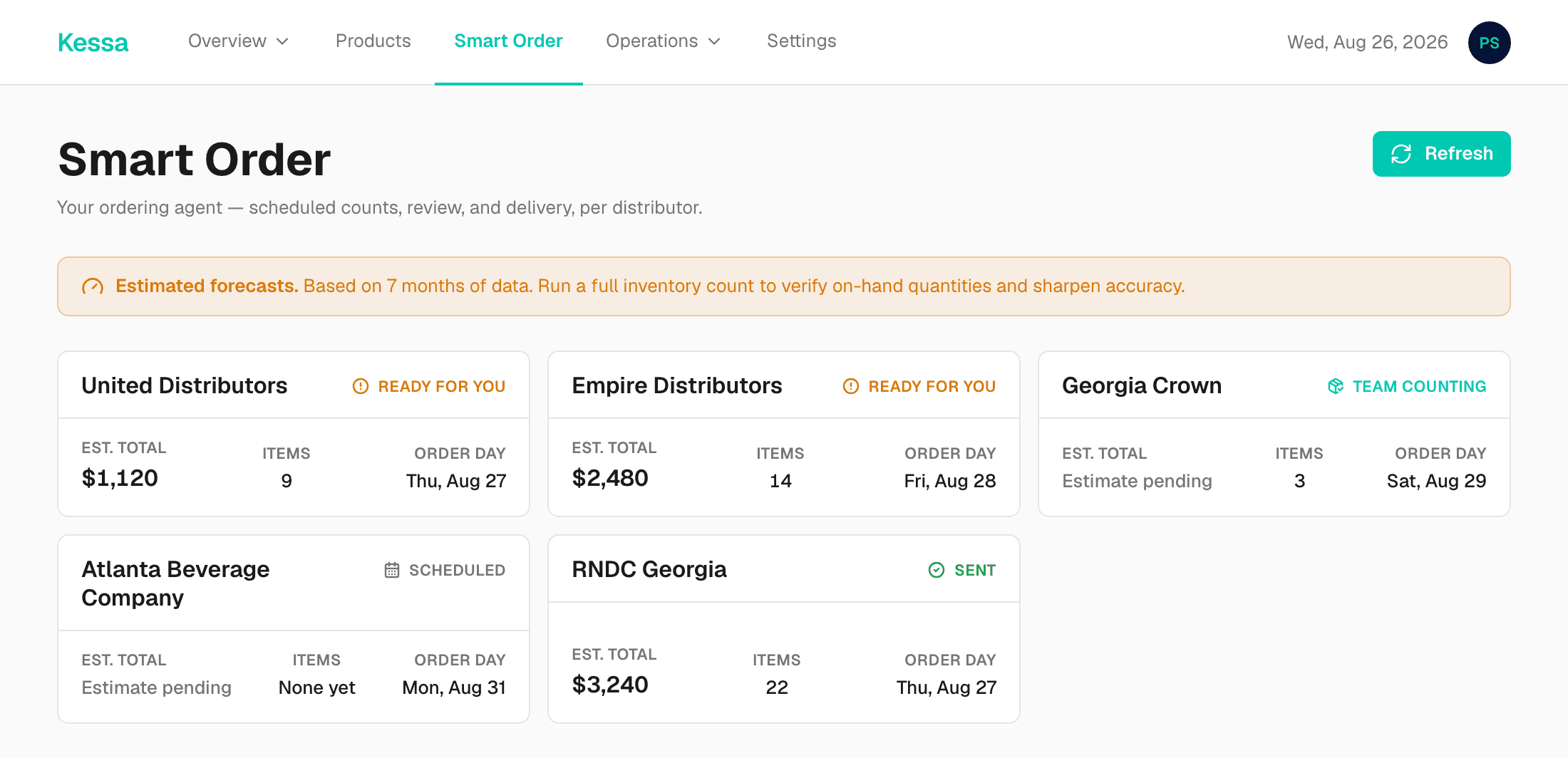
The next order, per distributor
Kessa knows each distributor's order day and what has actually sold since the last truck, so the order is written before you get there.
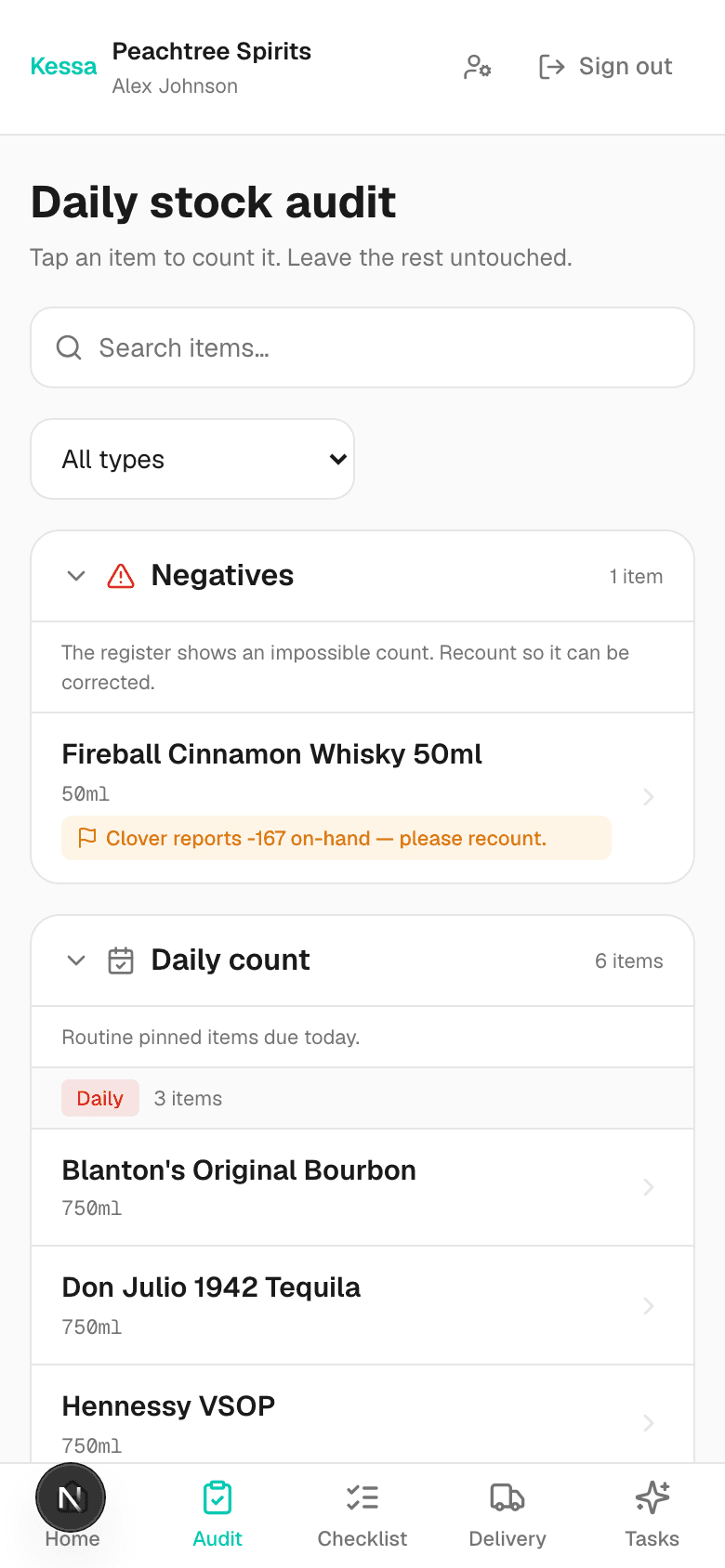
Counts from the floor
Your staff count on their own phones between customers. Every count lands in your feed the moment it is done.
Every screen here is the real product, shown with a sample store’s data
This morning's delivery
Empire DistributorsLines read
4
automatically
Increases caught
2
before you paid
Monthly impact
$210
if left unchanged
Sample delivery
The questions owners actually ask
- How long does setup take?
- A day. Onboarding is hands-on — Michael builds your catalog with you from your own invoices and POS export, and you are not handed a blank screen and a manual.
- Does it work with my POS?
- Clover and Square connect directly. Any other register works too, as long as it can export a sales file — Kessa reads the columns and maps them to your products for you.
- Where does my data live, and who can see it?
- In your own isolated tenant, encrypted at rest, and no other store can read a single row of it. Connections to QuickBooks, Clover and Square are stored encrypted and you can revoke them at any time.
- Can I cancel?
- Yes, from your Settings page. Month to month stops at the end of the month. The 3-month, 6-month and annual plans are paid up front and are non-refundable, so cancelling stops the next renewal rather than refunding the term you are in — we email you before every renewal so it is never a surprise. Either way you keep your data: every invoice, product and sales record exports to CSV on your way out. No setup fee.
Every plan includes everything.
- Unlimited invoices
- AI invoice OCR + line-item extraction
- Sales sync + column mapping
- Smart order recommendations
- QuickBooks Online sync
- Monthly reconciliation + PDF reports
- Cost increase + dead stock alerts
- Employee Hub + shelf audits
- Priority support
Single
Under $600,000 a year
paid 6 months up front
a year $89/mo · 3 months $119/mo · month to month $139/mo
For one store finding its feet.
Get startedGrowth
$600,000 – $1,500,000 a year
paid 6 months up front
a year $159/mo · 3 months $199/mo · month to month $219/mo
For a store doing steady volume.
Get startedHigh Volume
$1,500,000 a year and up
paid 6 months up front
a year $249/mo · 3 months $299/mo · month to month $319/mo
For a store moving serious product.
Get startedGroup
More than one location
more than one store · we’ll work it out with you
For operators running more than one store.
Contact usWe set your exact price after onboarding, once we’ve read your POS — nobody gets a surprise at the end.
“I own Firewater Package in Marietta, GA. I built Kessa for my own store because nothing else understood how a liquor store actually runs. Now I'm making it available to other independent retailers.”
Michael, Founder · Firewater Package, Marietta, GA
Tell me about your store and I'll set you up myself.
Get started